JOBS,
ALL TYPES
OF FORMS,
AND MESSAGES.
Together, not in separate systems.
One login, one place. A foreman should not need five apps, three spreadsheets, and a binder to run one day of work. With FieldBoard, he opens one board.
01
Dashboard
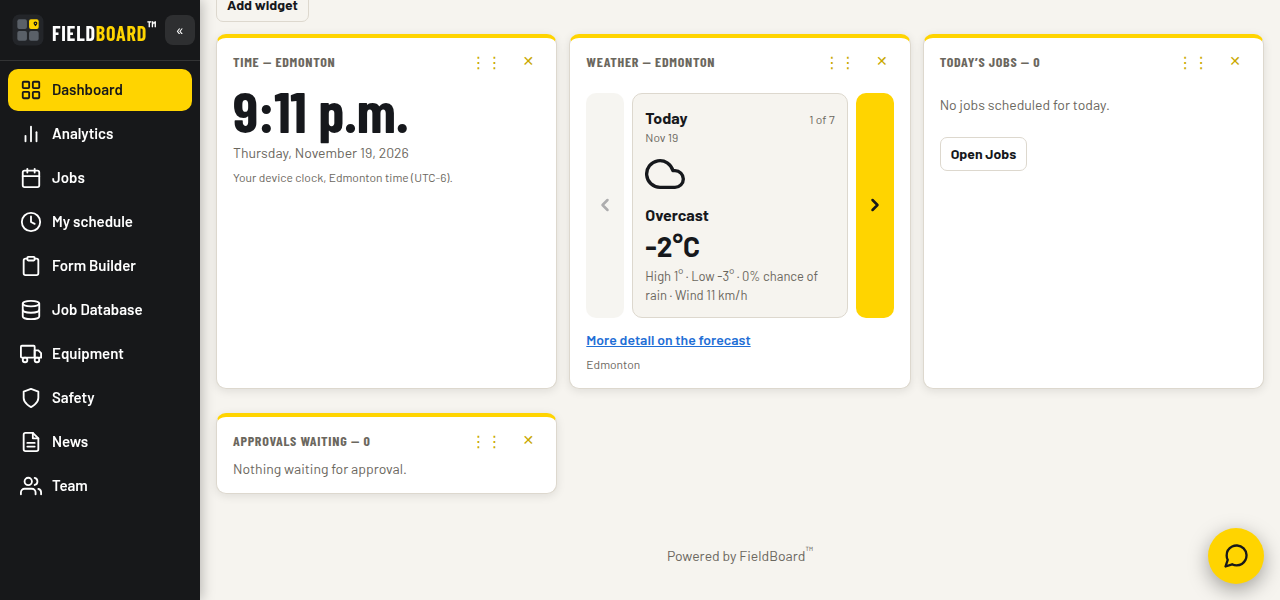
Your whole day is on the first screen. Time and weather for planning the day. Today's jobs. Who is on site. What is coming up. What is waiting for approval. All before the first phone call. Every person builds their own dashboard. Pick your widgets, drag them where you want them, and it saves that way for you. Fifteen widgets to choose from, including weather with a full week forecast, sunrise and sunset, today's jobs, crew on site, approvals waiting, and company news.
02
Jobs: three views
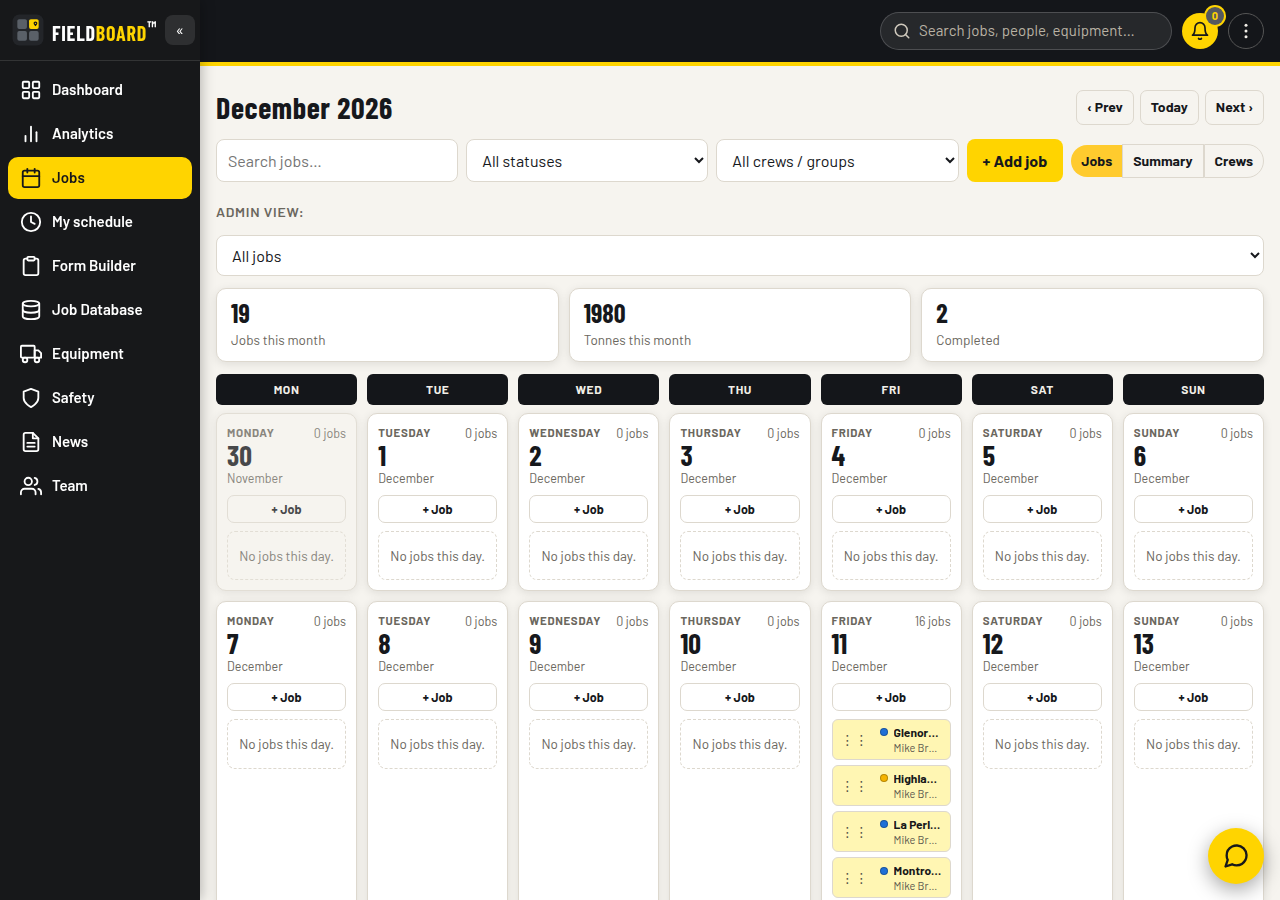
The board that handles forty crews. Jobs view is the month calendar, one chip per job. Fine for five crews. Summary view groups each day by your company's own roles, with the foreman and the job number under each one. Base crews here, paving here, concrete here. One glance tells you who is where, all month. Crews view is the one your admin will live in. One day, every crew, one line each: foreman, job number, address, status, grouped by role with a count. Forty crews out? Forty lines, sorted, readable in ten seconds. Tap a line and you are in the job. The groups are never hardcoded. They are the roles your company creates, so the board matches how your company actually runs. Your choice of view is remembered.
03
Inside a job card
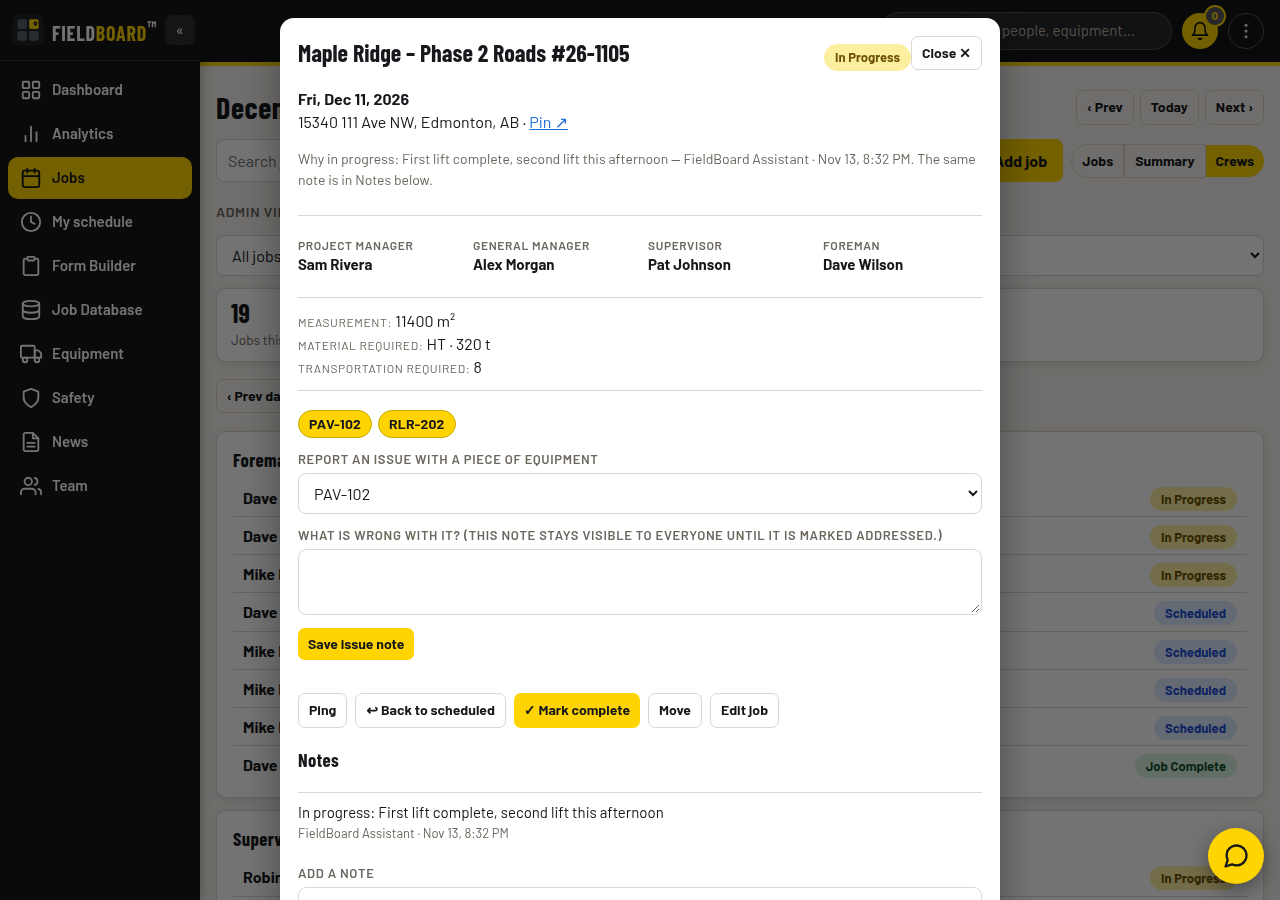
Everything about the job is on one card. Job number and name. Date. Address with a map pin, so nobody calls for directions. Crew names in bold, readable in sunlight: General Manager, Project Manager, Supervisor, Foreman. Materials the way crews actually order them. Tonnes for asphalt, cubic feet for concrete, yards or metres for base and soil. If a material is not in the list, you add it once and it is there for good. Measurements, truck needs, load time, and time on site all live on the card too. Notes, photos, and voice notes attach to the job, not to someone's phone. Change the status and everyone sees it: Scheduled, In Progress, Job Complete. The board even flags past jobs still sitting at Scheduled, so nothing is left open by accident.
04
My Schedule
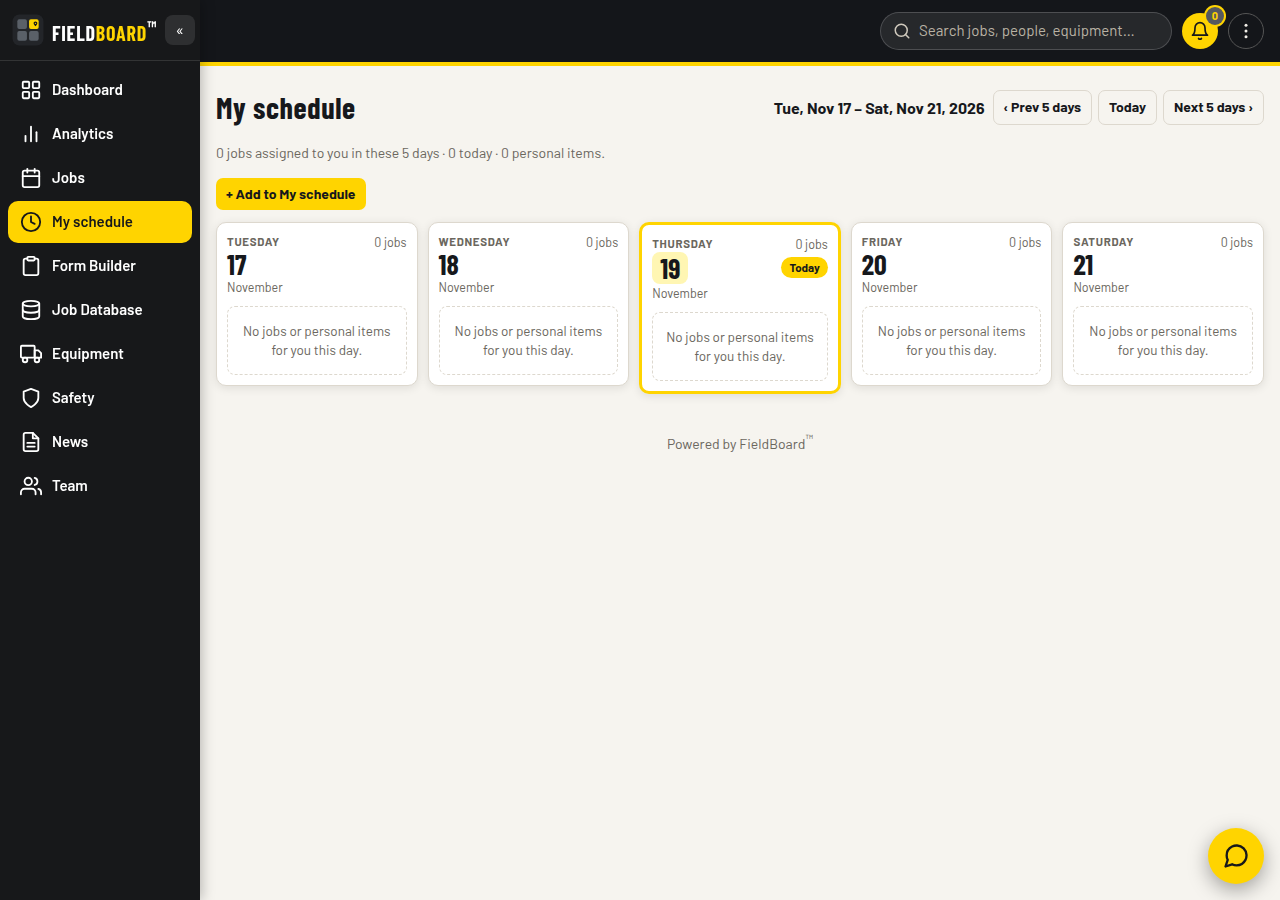
Your jobs and your own items, side by side. My Schedule shows the jobs assigned to you across the coming days, in plain day columns. You can also add your own items: a meeting, a toolbox talk, an appointment, with a date, time, and place. Your jobs come from the board. The items you add are private. Only you see them.
05
Messenger and Pings
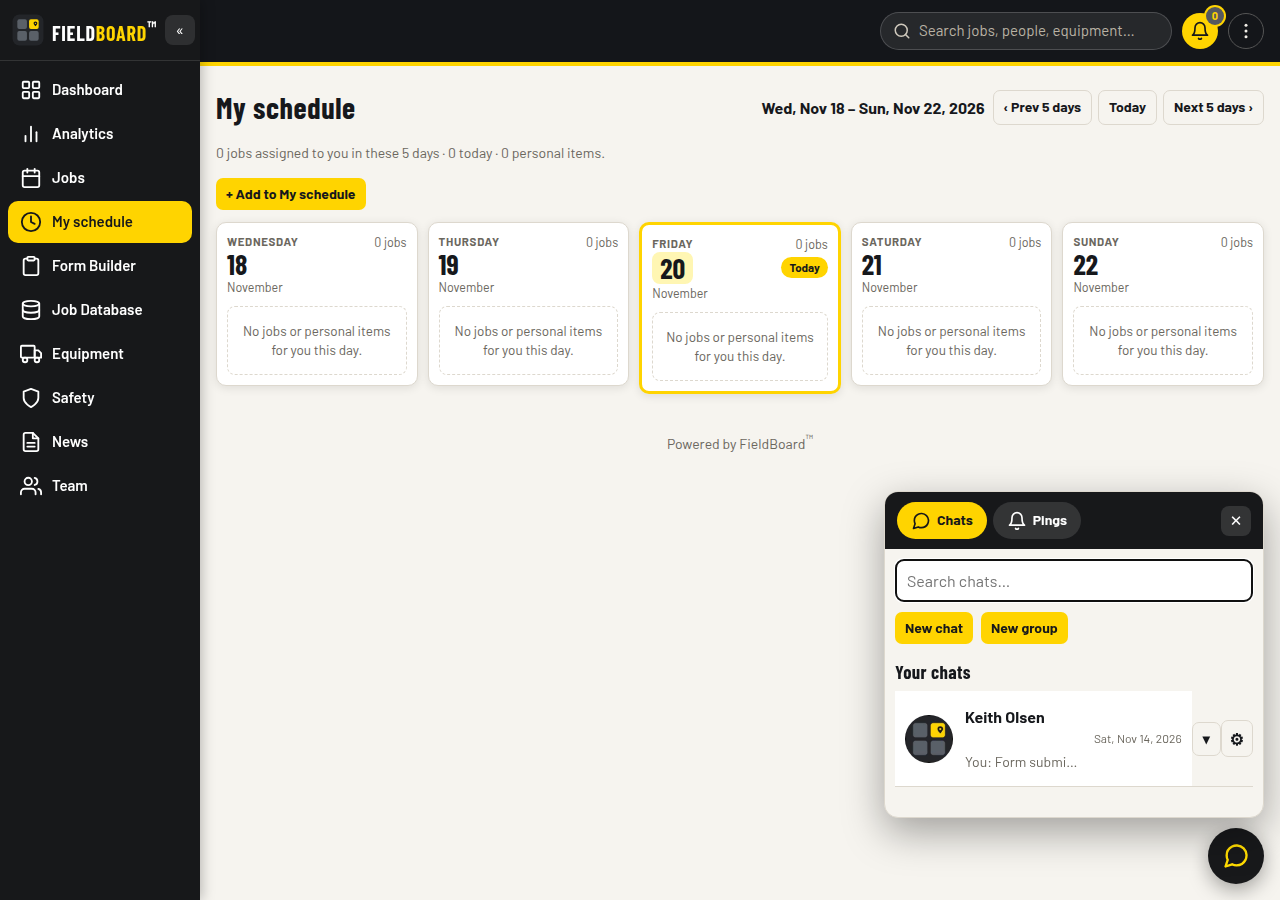
Company talk stays inside the company. Messenger works the way texting already does. Direct chats, group chats, voice clips, and photos. One floating button opens your chats and your pings. A ping is the urgent version. It stands out, and it stays unread until the person opens it. Pings can be scheduled, including repeating ones, so recurring reminders go out on time. When someone leaves the company, the conversation stays with the company.
06
Safety
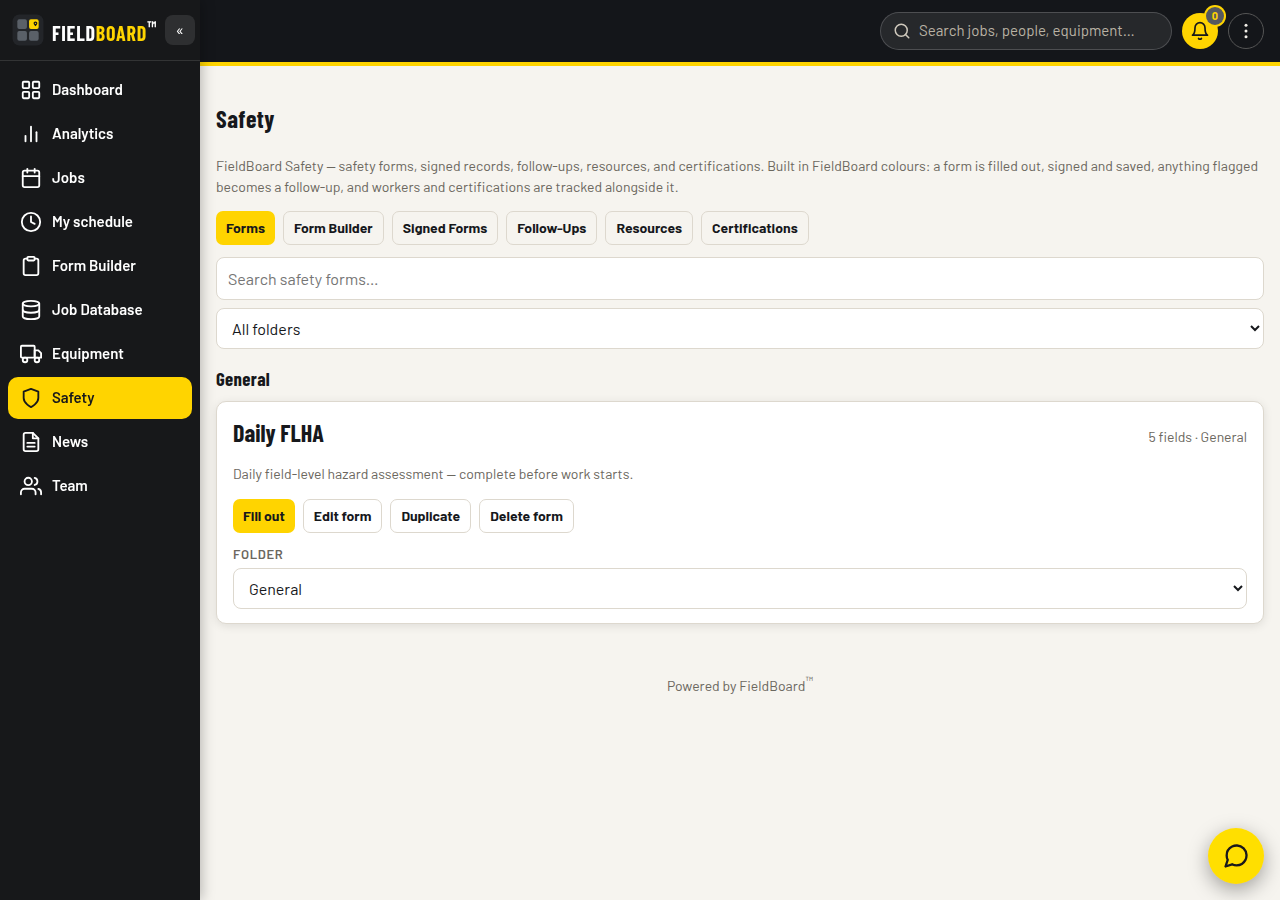
Your safety program, built your way. FieldBoard does not ship a ready-made safety program. That is the point. Safety is a builder. Drag in your fields, add a signature pad, and your FLHA, your toolbox talk, or your inspection looks exactly the way your company wrote it. When a form is signed, it is signed properly. A real finger signature, the printed name, and a GPS pin showing where it was signed. Signed forms are read-only records. If something needs action, you raise a follow-up from the signed form and assign it. Resources live in folders your crews can actually find. Certifications are tracked per worker, with expired tickets in red and expiring ones in yellow, before they become a problem on site.
07
Form Builder
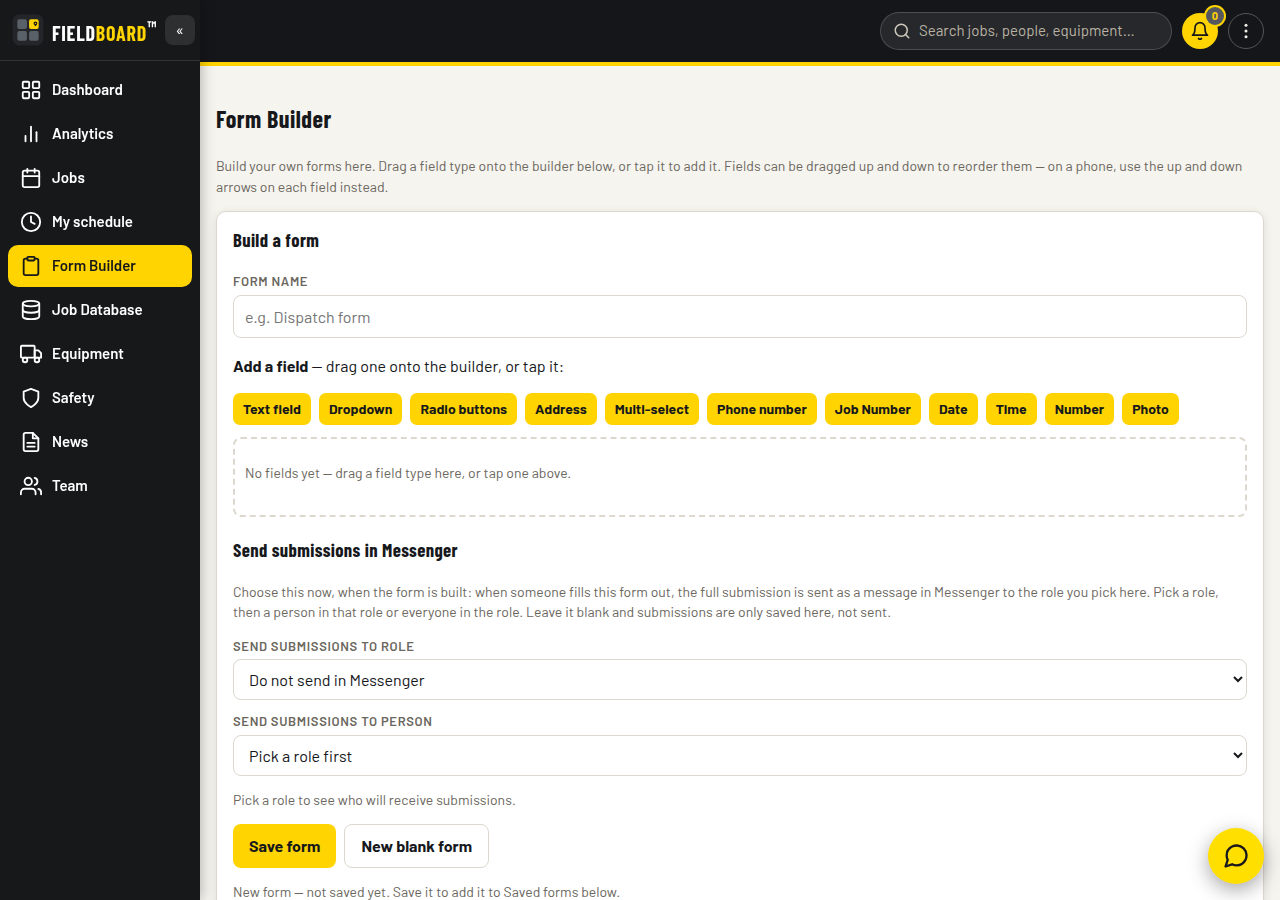
Build a form once. Send it to the right person. Haul orders, material requests, and job checklists. Build the form once from eleven field types: text, dropdown, radio, address, multi-select, phone, job number, date, time, number, and photo. The Job Number field is the clever one. Pick a job and the number, name, address, and foreman come across with it. No retyping. At build time you pick a role and a person, or everyone in that role, and the full submission lands as a Messenger message to them. No inbox nobody checks. No paper form in a truck.
08
Job Database
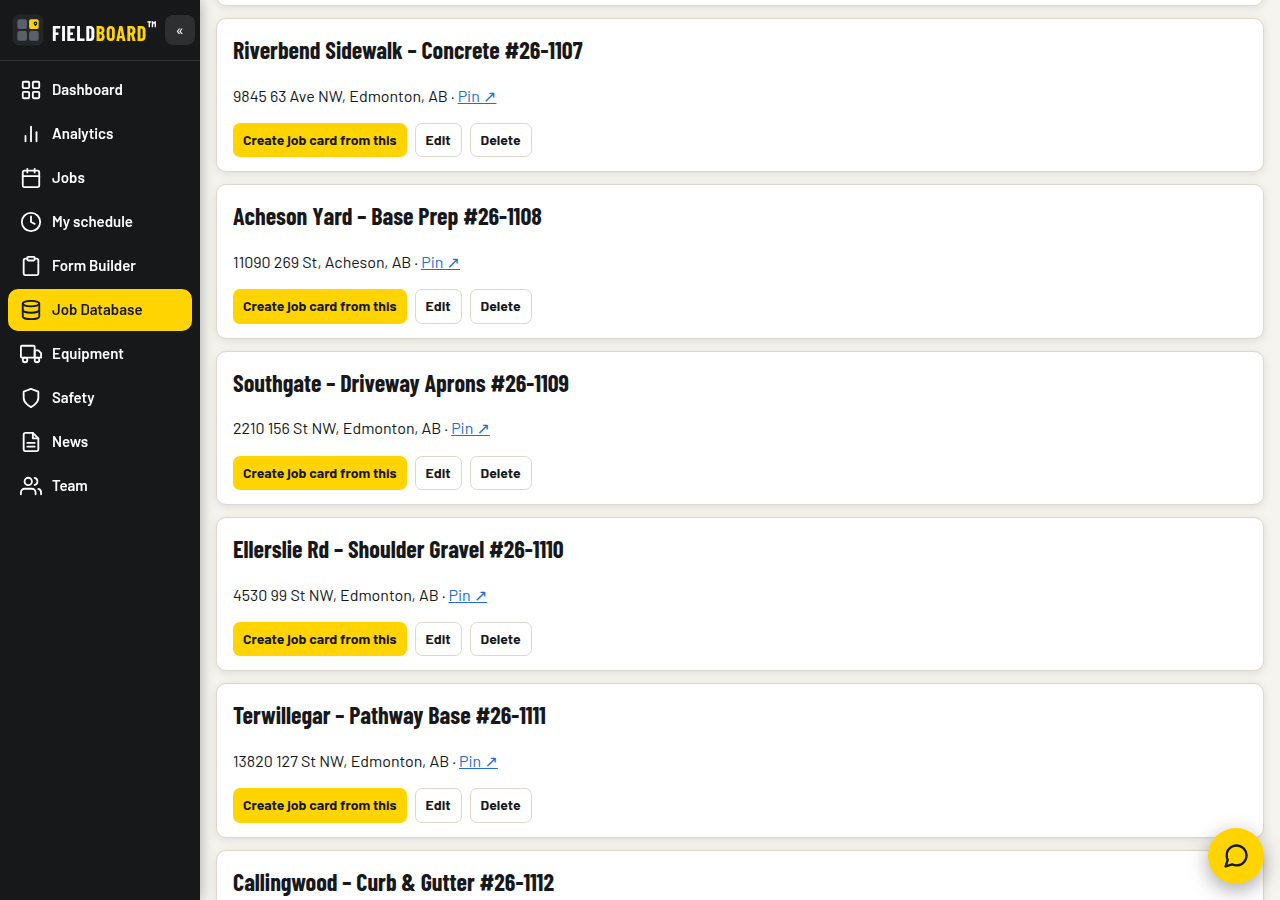
Every job your company has done, kept and reusable. Number, name, and address. No duplicate numbers. Pick an entry and it fills a new job card. Every new job card you save lands here on its own, so the database builds itself as you work.
09
Equipment
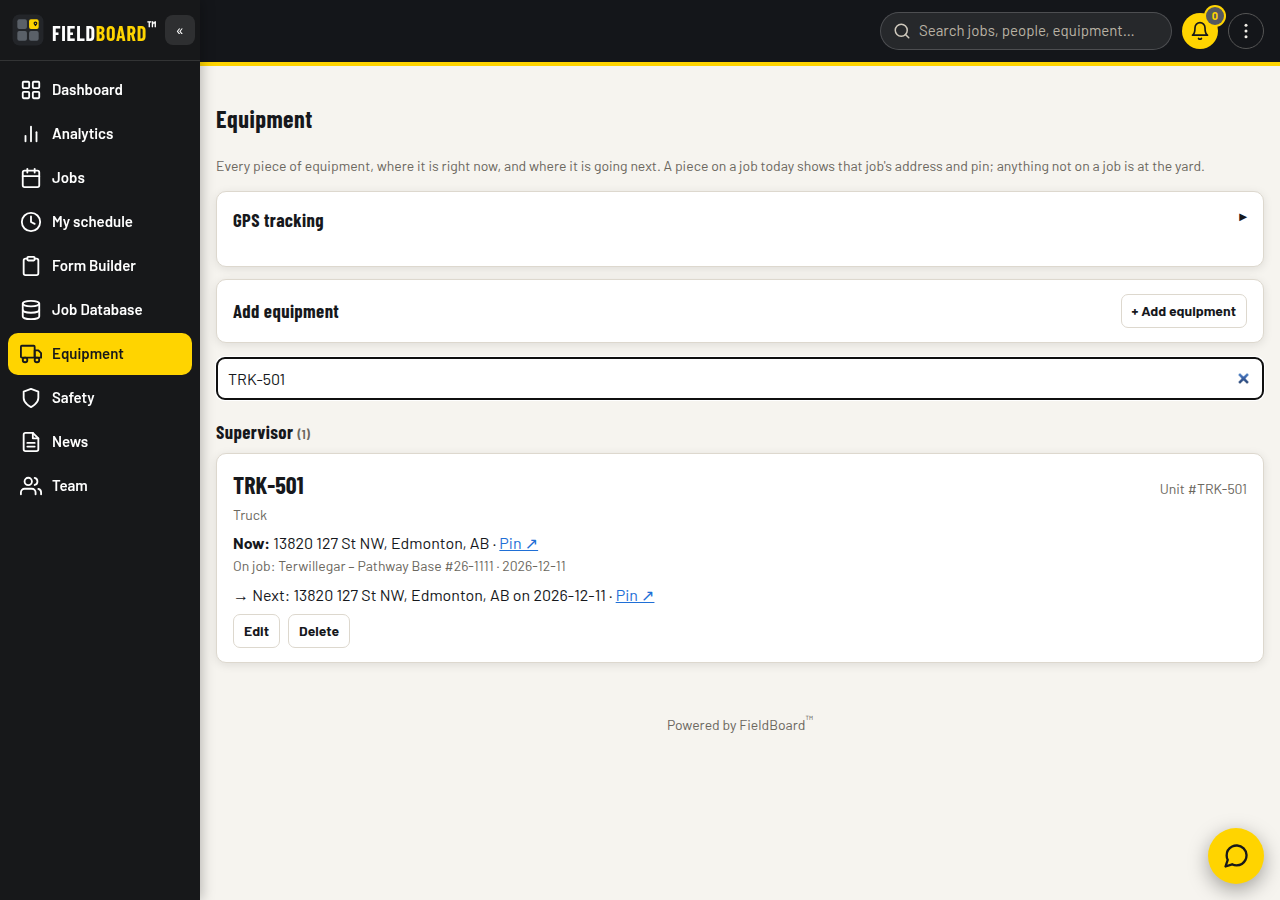
Where each unit is now, and where it goes next. Type a unit number and you get the answer. What it is. Where it is working today, with the address and a map pin. Where it goes next, and on what date. Whether anyone has flagged an issue on it. Adding a unit here also puts it in the job equipment picker. One list, not two.
10
Team, roles, and groups
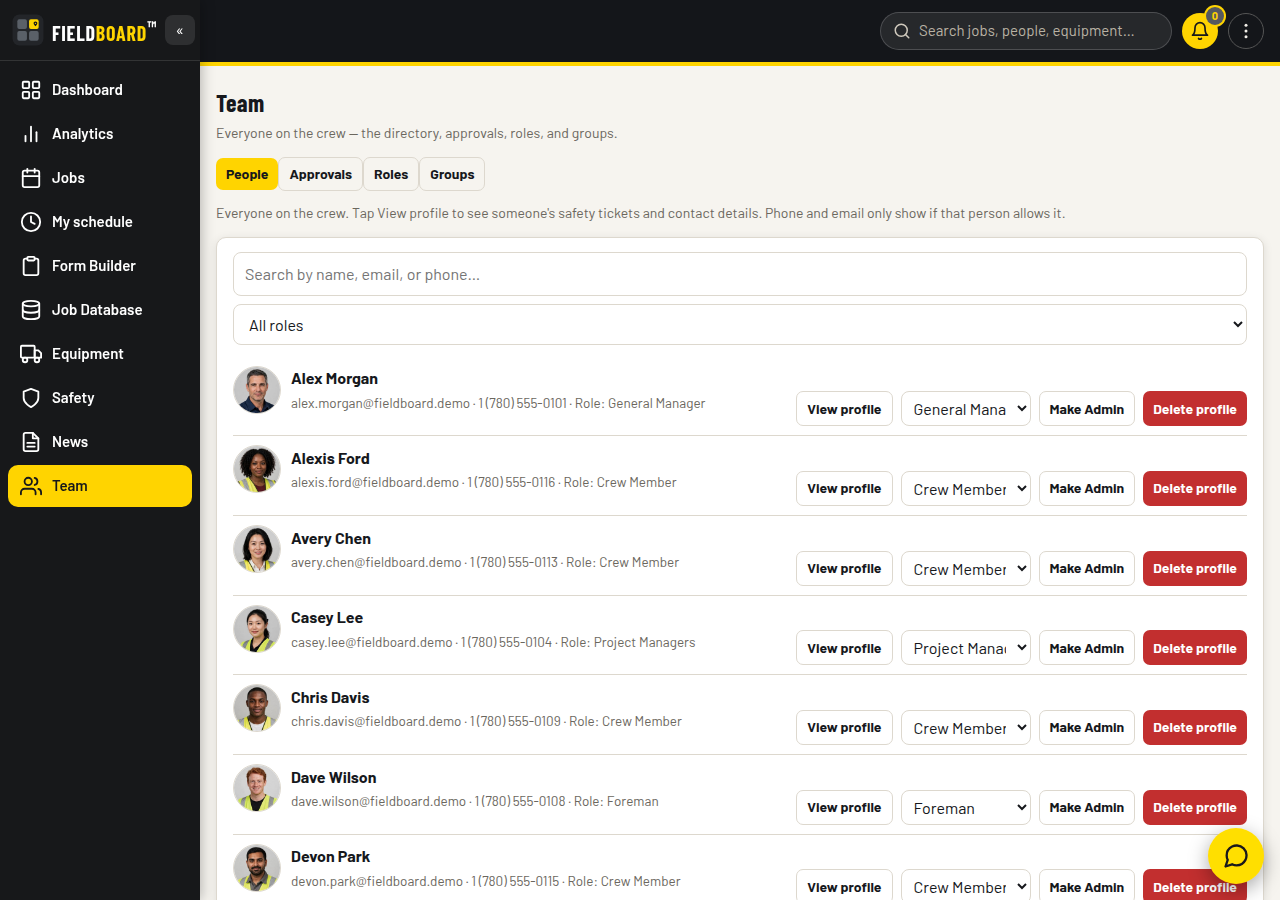
Your company decides who sees what. Admin is the only role FieldBoard forces on you. Every other role is yours. Build it from tick boxes: who can create jobs, who sees which tabs, who approves people. The People directory shows everyone their name, role, and safety tickets. Each person chooses for themselves whether their phone number and email are visible. Emergency contacts stay visible to Admins only. New people and profile changes land in one approvals queue. The person who asked gets told privately whether they were approved. Groups are just as simple. Search, add a person, or add a whole role in one move.
11
News
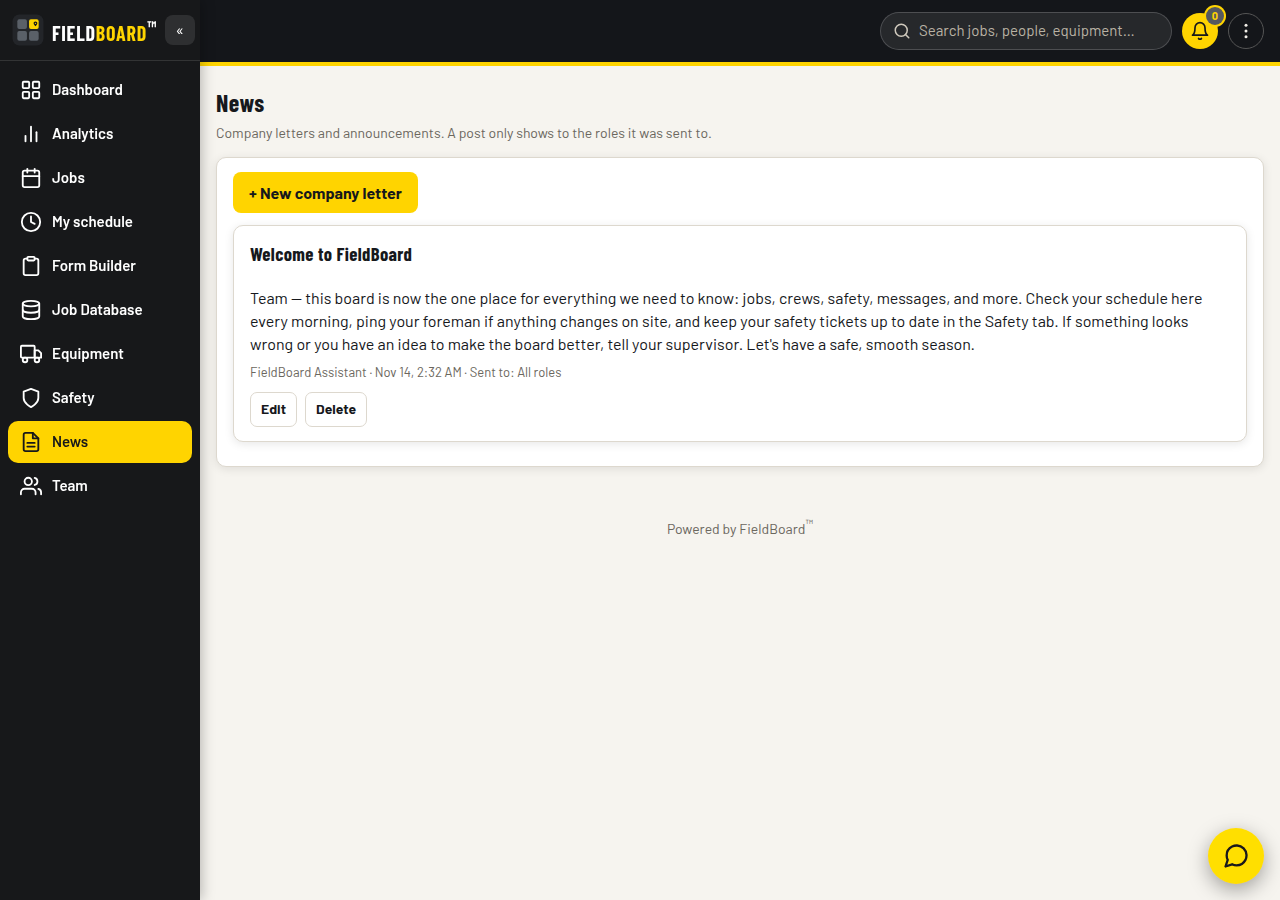
A company letter that reaches only the right roles. Post a letter, choose which roles it goes to, and it shows only to those roles. Everyone targeted gets a notification. The Dashboard news widget carries the latest items, so it is seen on the first screen of the day. A post can carry a file attachment if the letter needs one.
12
Analytics
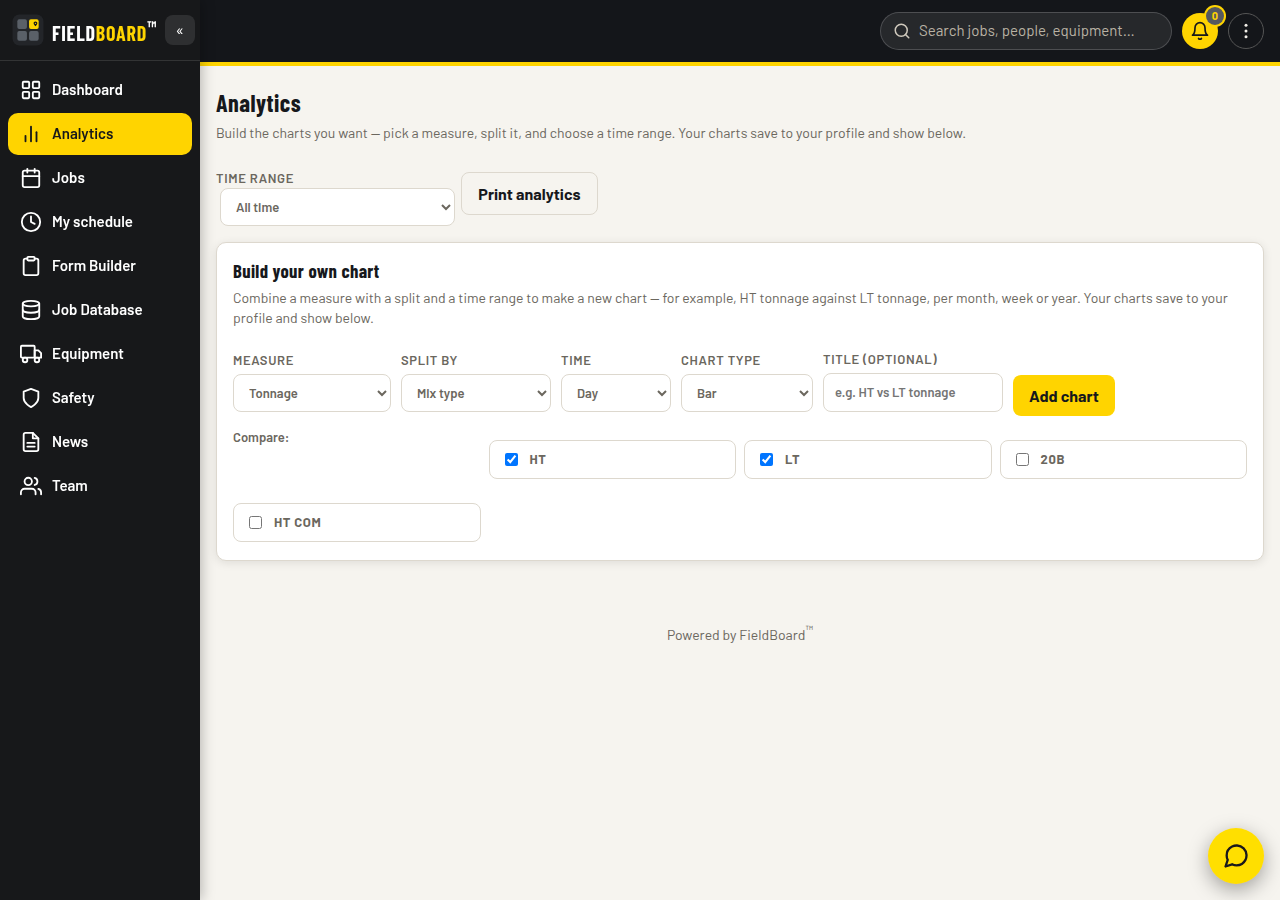
Charts you build, not charts you are given. No pre-built charts you will never use. Pick a measure: tonnage, jobs, safety forms signed, or form submissions. Split it how you want: by mix, status, foreman, or form. Choose bar or line. It is live: add a new mix or a new form and it appears here with no reload. Owners run the numbers they actually argue about, like heavy versus light tonnage month over month. Every chart has its own print button.
13
Notifications and approvals
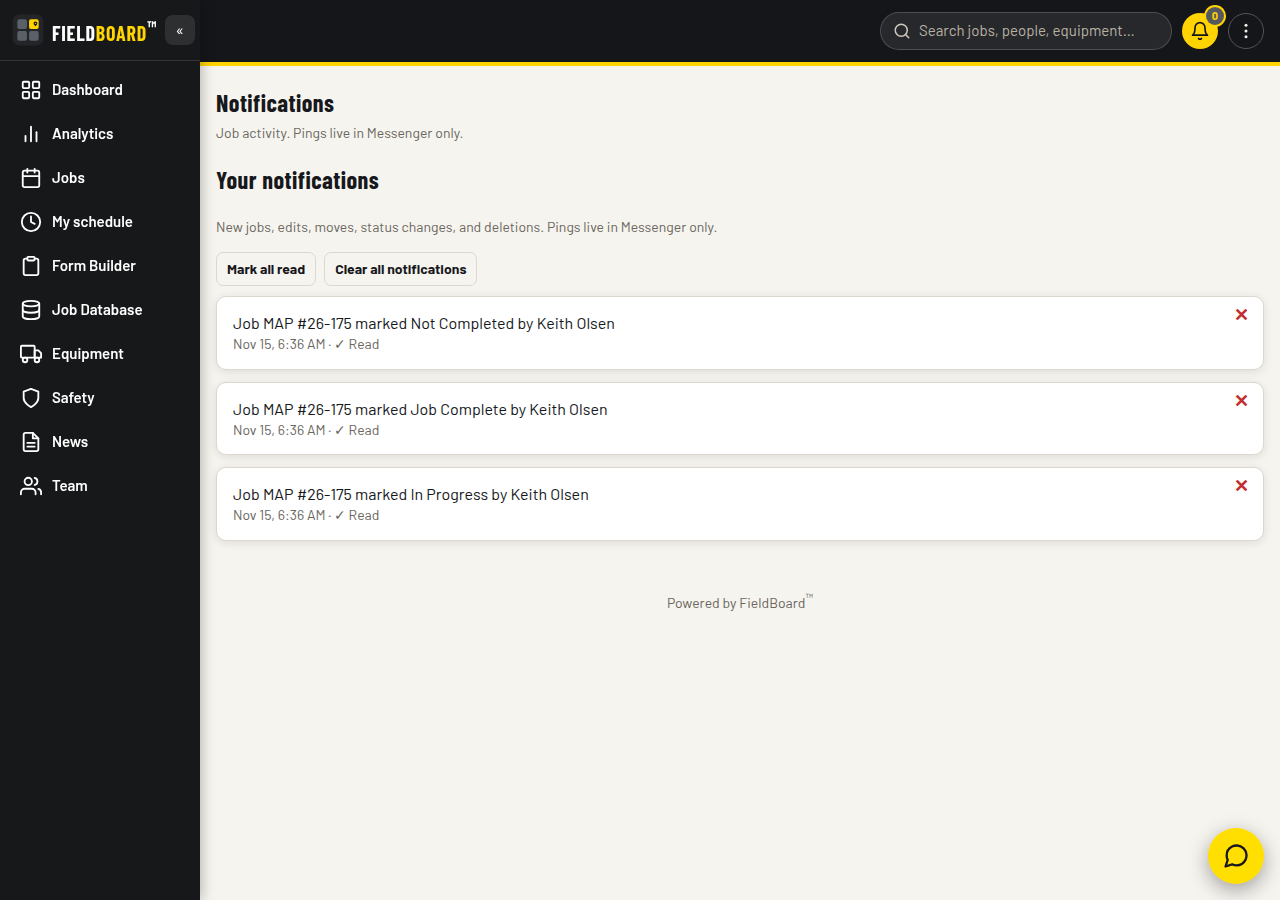
Activity and approvals, in one place. New jobs, edits, moves, and status changes land in your notifications. Approvals wait in one queue, and only there, until an approver deals with them. Mark all read and clear all tidy things up in one tap each.
01Each person controls their own profile.
Two-factor sign-in is available per person. Turn it on and every sign-in needs a code texted to your phone. Forgotten passwords reset by email link. Each person chooses whether their phone number and email show to others. Sign-up uses invite codes your company controls, so nobody walks onto the board uninvited.
02Built for the crews you actually have.
The whole app is translated into French and Spanish, not just the messages. Messages can be translated across eighteen languages. And your saved schedule stays viewable when the signal drops, so the day's plan is there even out of coverage.
03Your name, your colours, your roles.
FieldBoard is white-labelled for your company. Your name, your logo, and your colours lead, because it is your crew looking at your board. FieldBoard stays quietly in the footer.